
Content
This Step-by-step instruction introduces into the topic of how to create external groups for the serial function.
1. Step-by-step instructions for creating external groups for the serial function
Users can also create external groups for jobs with the serial function themselves.
XiTipp
Only contacts stored in the global address book can be added to these groups.
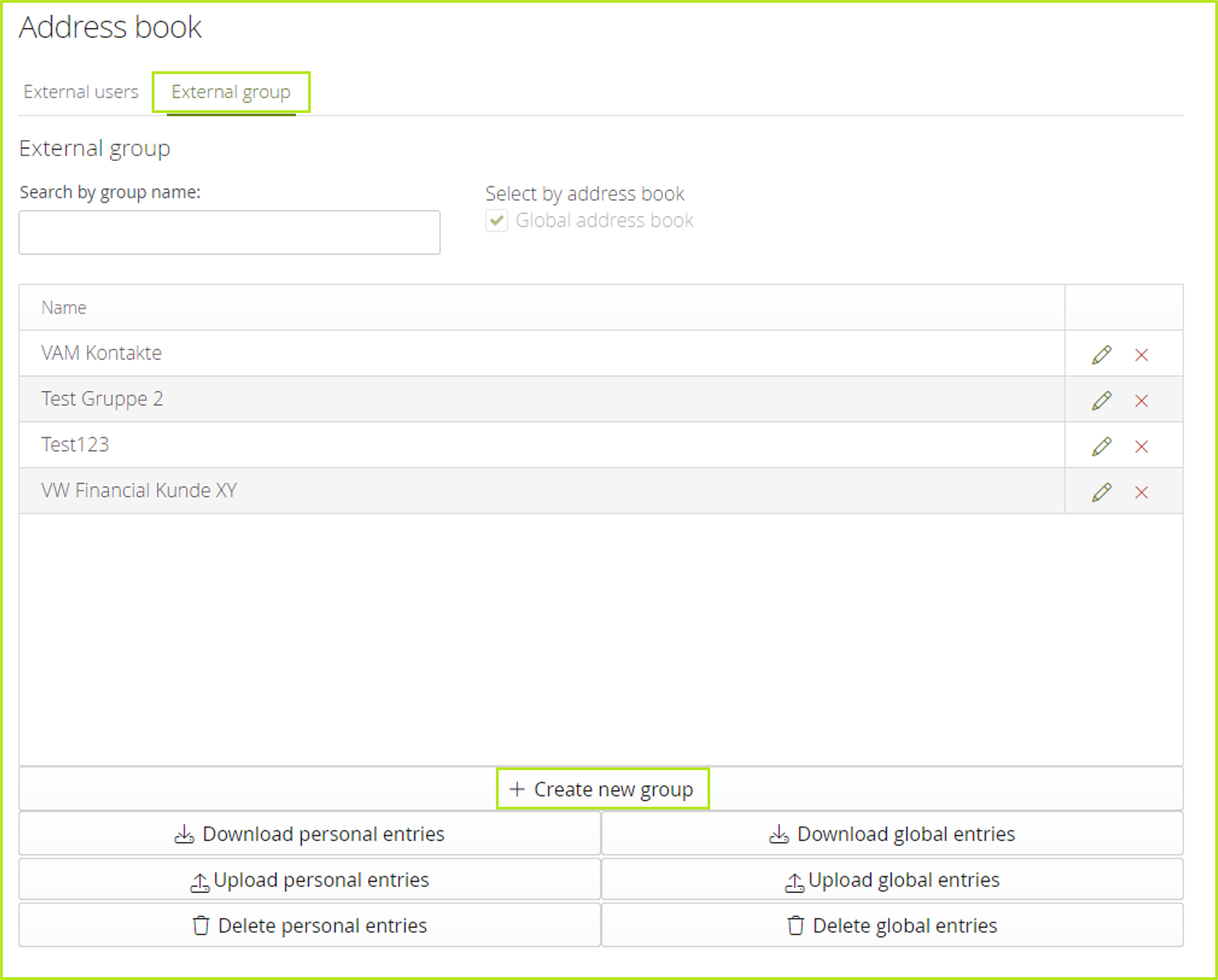
Step 1: Open the address book and click on the [+Create new group] button in the External Groups tab (see figure 1).
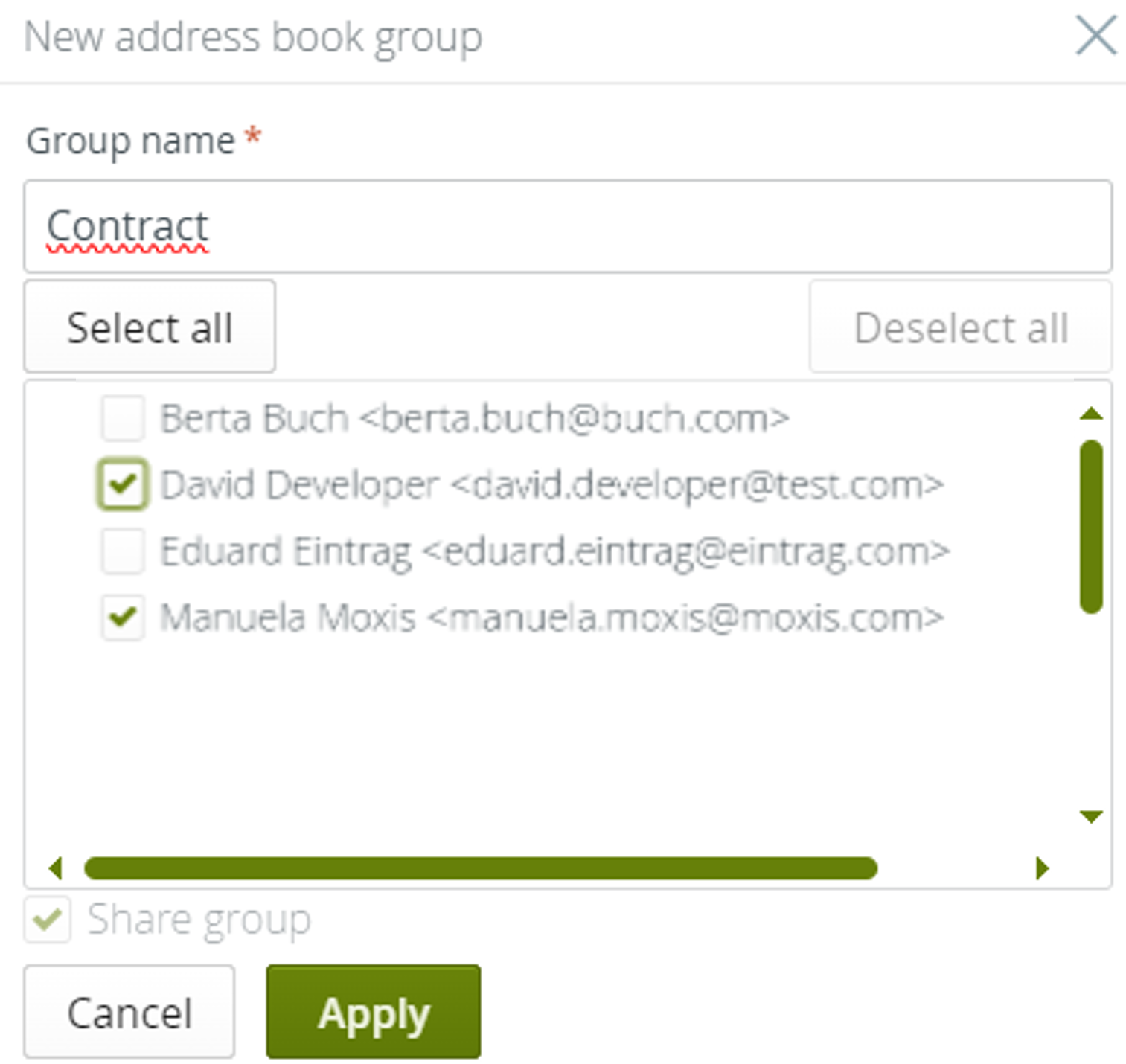
Step 2: In the pop-up that opens, define a group name and select the desired users by ticking the corresponding checkbox (see figure 2). If you want to add all contacts to the group, click the [Select All]-button. Click the [Apply]-button to save your settings.
XiTip
Please note that external groups that you create are automatically available and editable for all MOXIS users via the global address book.