Content
Once a PKCS #12 file has been stored in the key management system and the checkbox has been set to Active, it is possible to read PDFs shared by external persons in order to verify the stored biometric data. Please note: The collection of biometric data serves the purpose of legal certainty (e.g., for presentation to technical experts in legal disputes). This article provides more information on the topic.
1. Step-by-step instructions: Checking PDFs in MOXIS
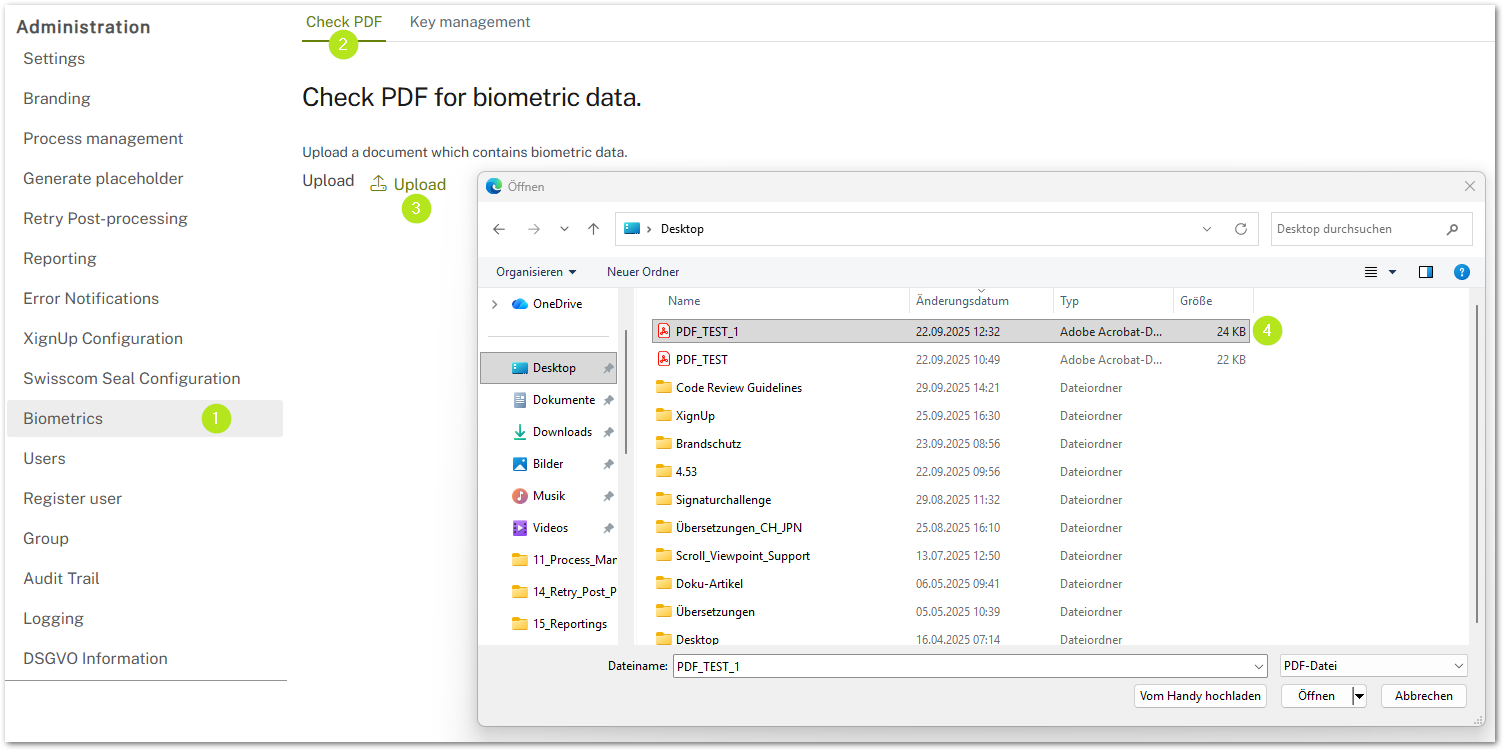
Step 1: Open the administration area and navigate to the Biometrics tab (see figure 1 [1]).
Step 2: Now open the PDF Check tab (see figure 1 [2]).
Step 3: Click on Upload (see figure 1 [3]) and upload the PDF you want to check. To do this, select the file in Explorer (see figure 1 [4]) and click on the [Open]-button.
Step 4: There are now two possibilities. The PDF may contain biometric data (see Step 4a) or it may not (see Step 4b).
Step 4a: If biometric data is included in the document, a book icon 
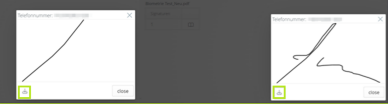
Step 4b: If the document does not contain any biometric data, an info icon 
2. Instructions: Saving biometric data
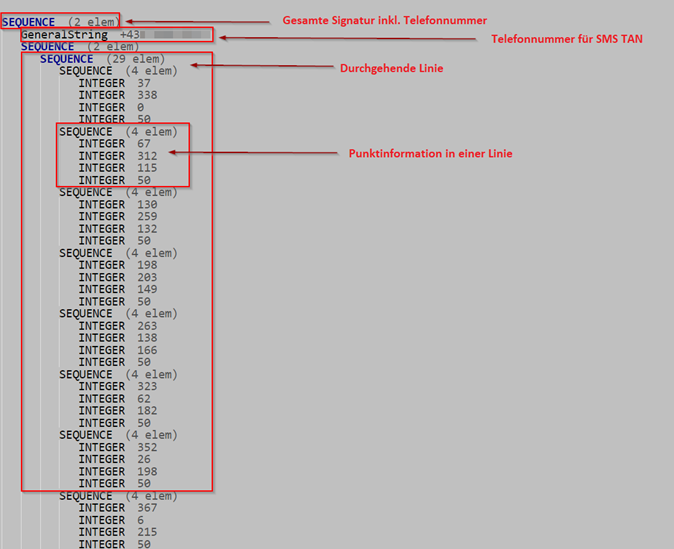
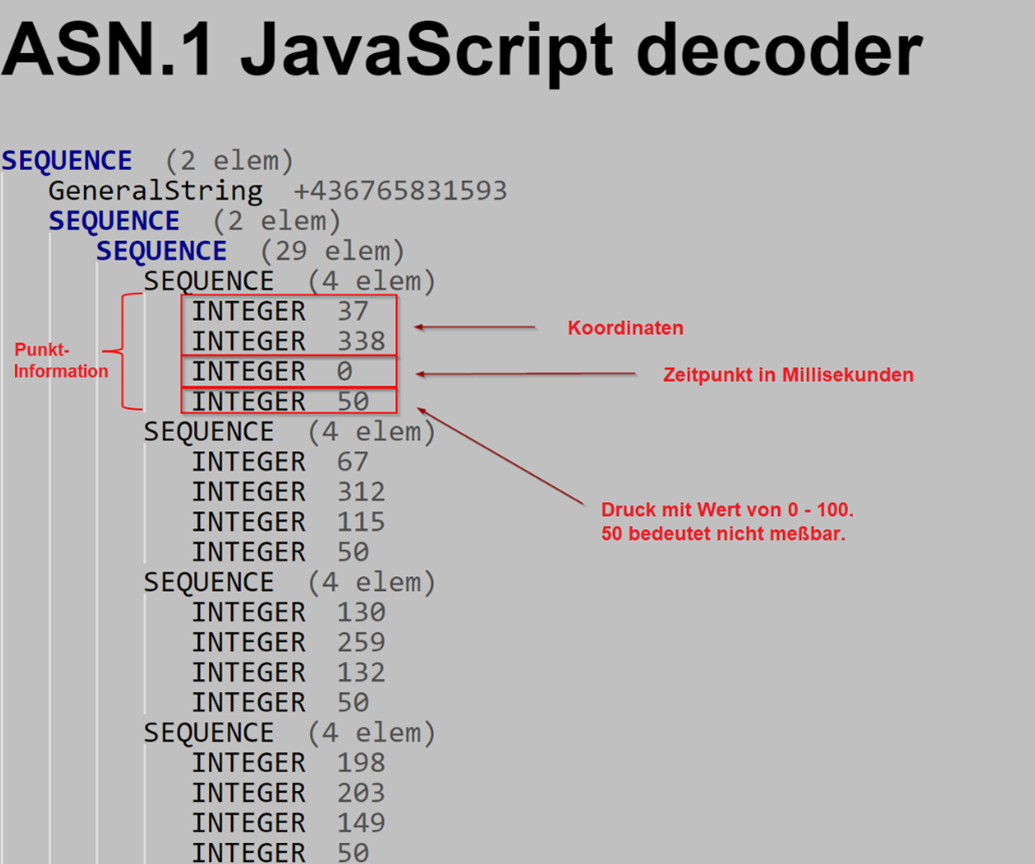
When a PDF is read, a BIN file is generated at the same time, which can be saved. Please note: This file format does not contain a simulation. With the help of the data read with a decoder (e.g., Lapo.it, see Figure 3), the vectors of a signature can be recreated based on the sequences.
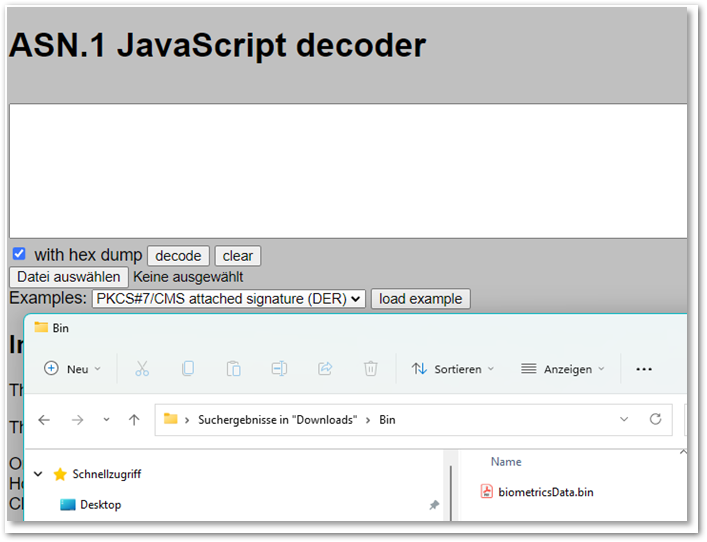
Figures 4 and 5 show how the file is read. A parent sequence corresponds to a continuous line (stroke). The position (coordinates) of the drawing and the time of the signature are recorded. Optionally, the pressure can also be recorded.