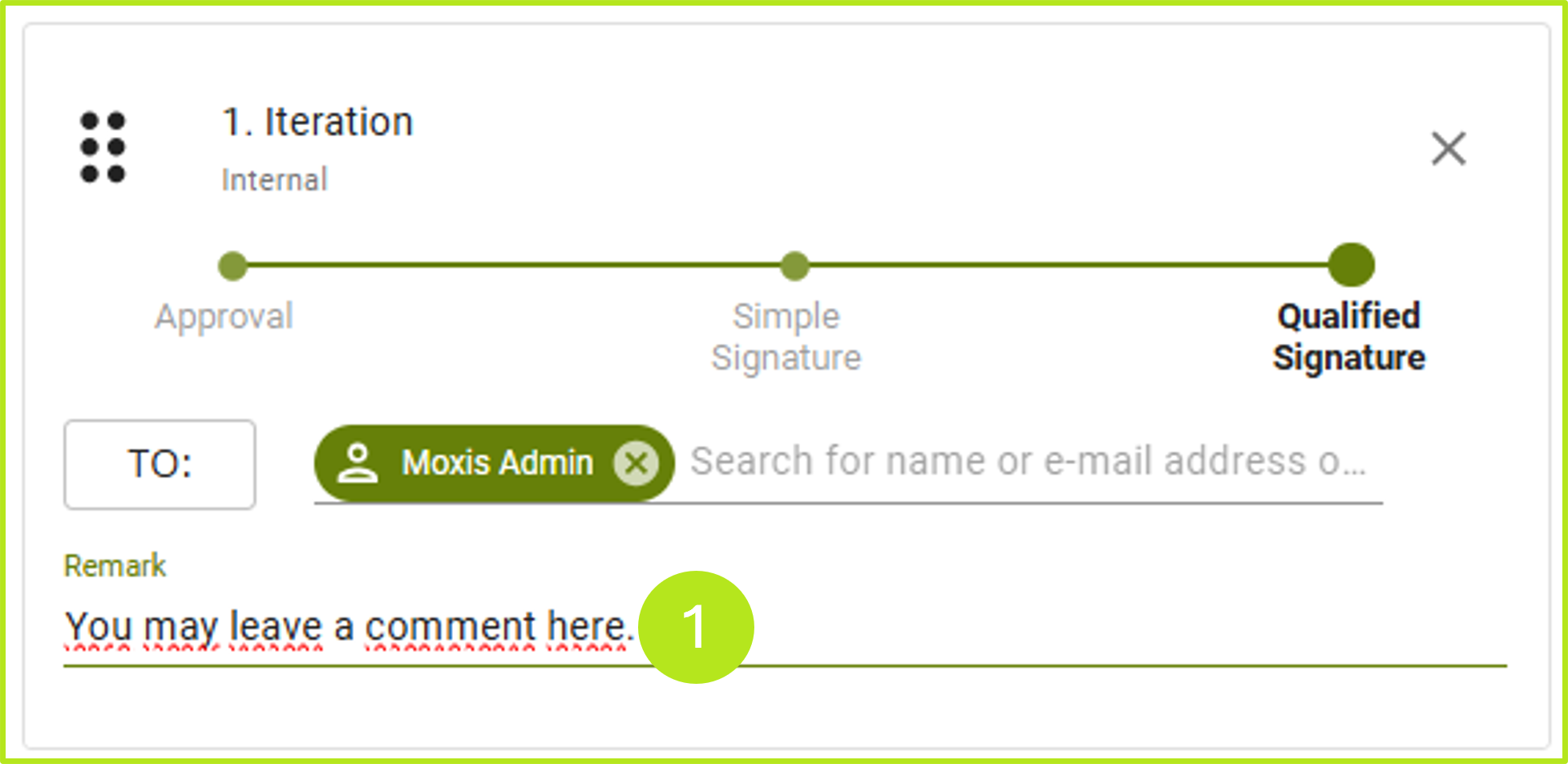
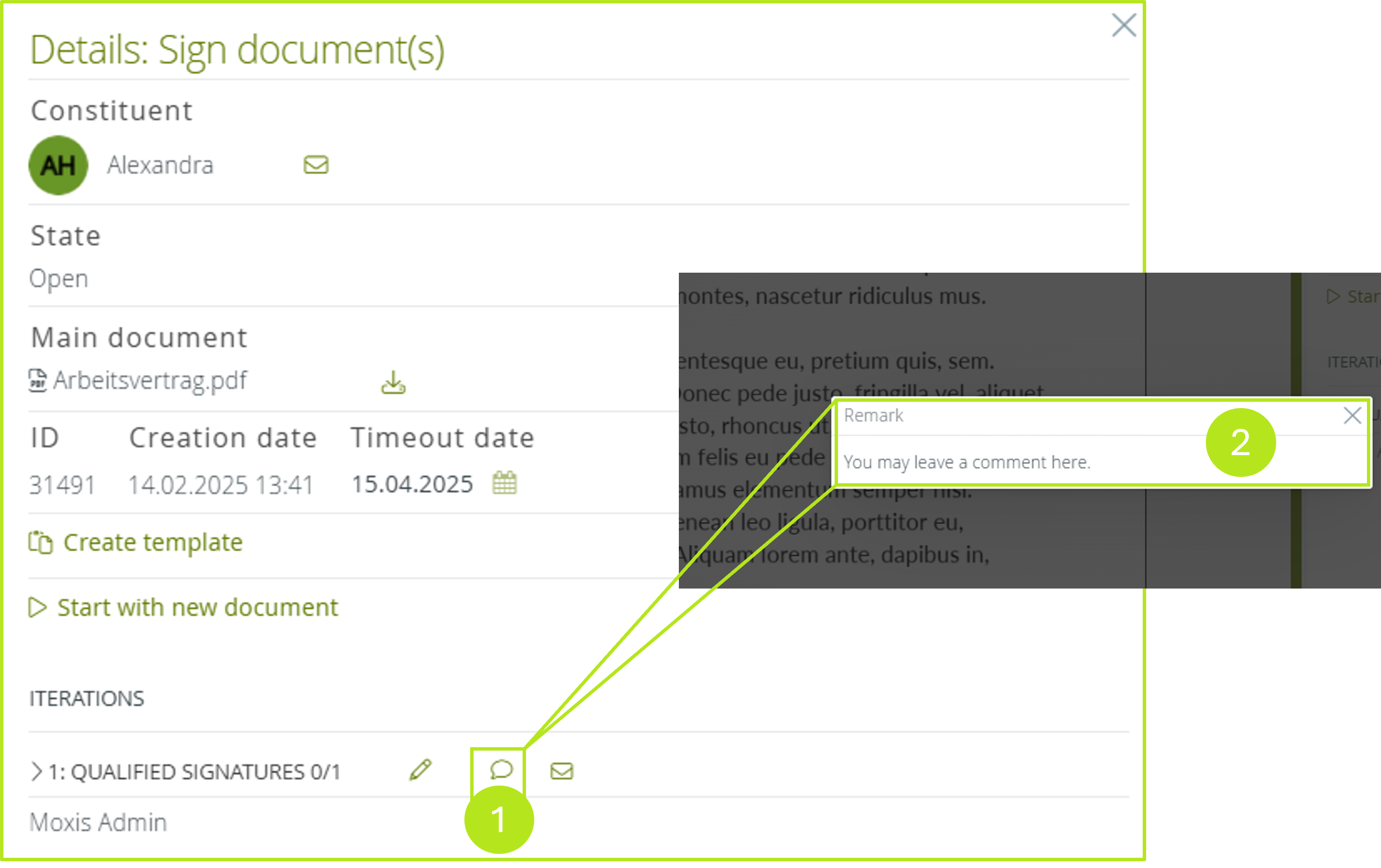
As a client, you can add comments for the signatories under the iteration levels in MOXIS (see figure 1 [1]). A job with comments is highlighted in the overview of the job with a speech bubble (see figure 2 [1]). In the detail view of the job under the menu item iteration levels (see figure 3 [1]) you can gain access to the comment by clicking on the speech bubble (see figure 3 [2]).
XiTip
The option to add a comment depends on the MOXIS product you are using and the settings configured by the administrator. If you have any questions regarding this feature and its applicability, please contact your XiTrust representative.