Content
The validity of electronically signed documents or the electronic signatures contained in these documents in accordance with the ZertES can be checked using the validator.
1. Step-by-step instructions: How to verify documents with ZertES signatures
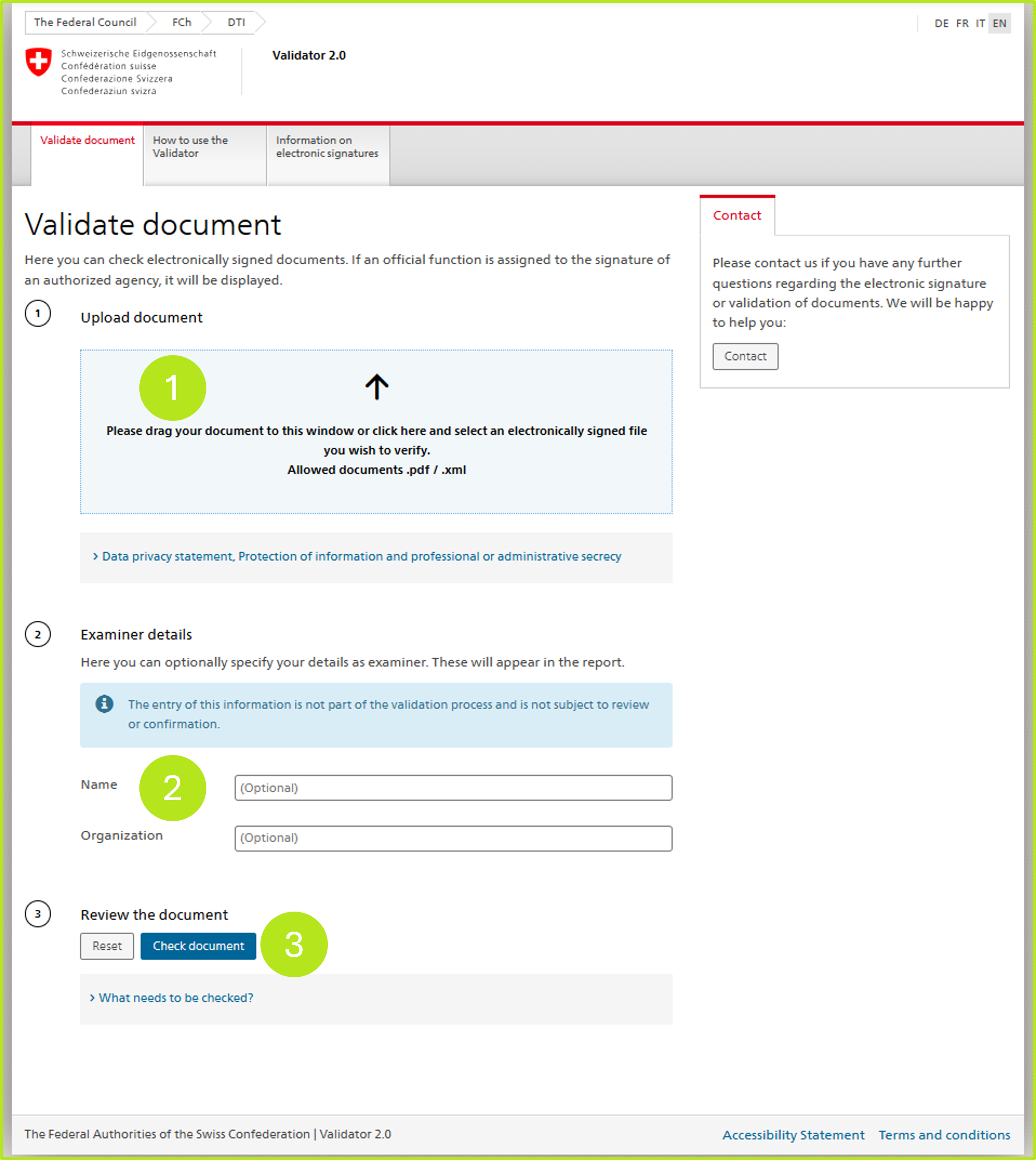
Step 1: Upload the document to be verified (see Figure 1 [1]). Optionally, you can also provide details about the verifier (see figure 1 [2]). Once all the information is entered to your satisfaction, click the [Verify Document]-button (see figure 1 [3]).
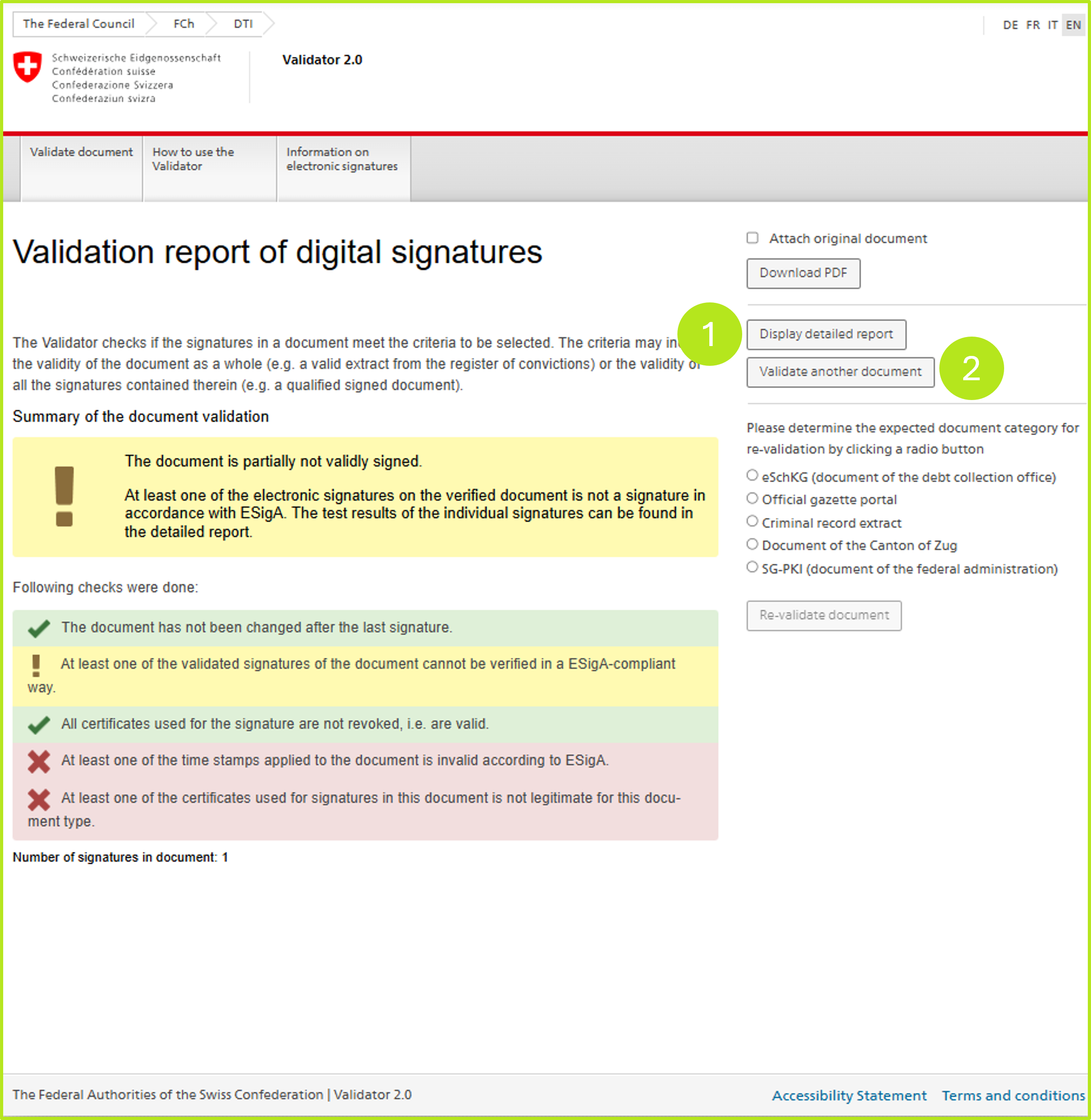
Step 2: The so-called short report now opens. Here you have the option to download the report as a PDF by clicking on the [Display detailed report]-button (see figure 2 [1]).
To validate another document, please click on the [Validate another document]-button (see figure 2 [2 ]).