Step 1: Step-by-step instructions
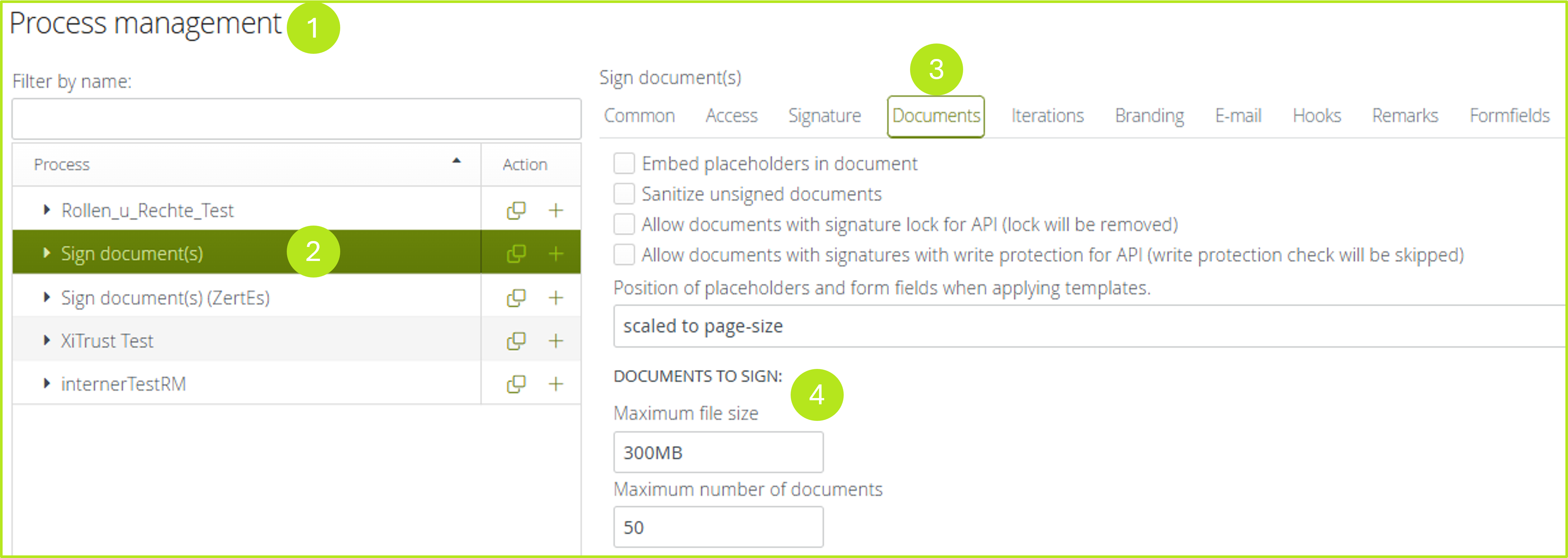
Step 1: Please open the process management (see figure 1 [1]) in the administration interface and select the process you want to configure (see figure 1 [2]). Now open the Documents-tab (see figure 1 [3]).
Step 2: In the documents to sign-section of the tab, you can now apply your changes as follows.
-
Maximum file size
-
Maximum number of documents
XiTip
Please note: The maximum size and number of documents for orders that are generated from an instance is defined in the basic configuration. You can enter lower values in the process administration, but none that exceed the maximum value. Further information on this can be found in the administration manuals.