
From MOXIS 4.52 it is possible to assign a reference ID. To display this for users, please follow the instructions below.
1. Instructions for activating a reference ID in MOXIS
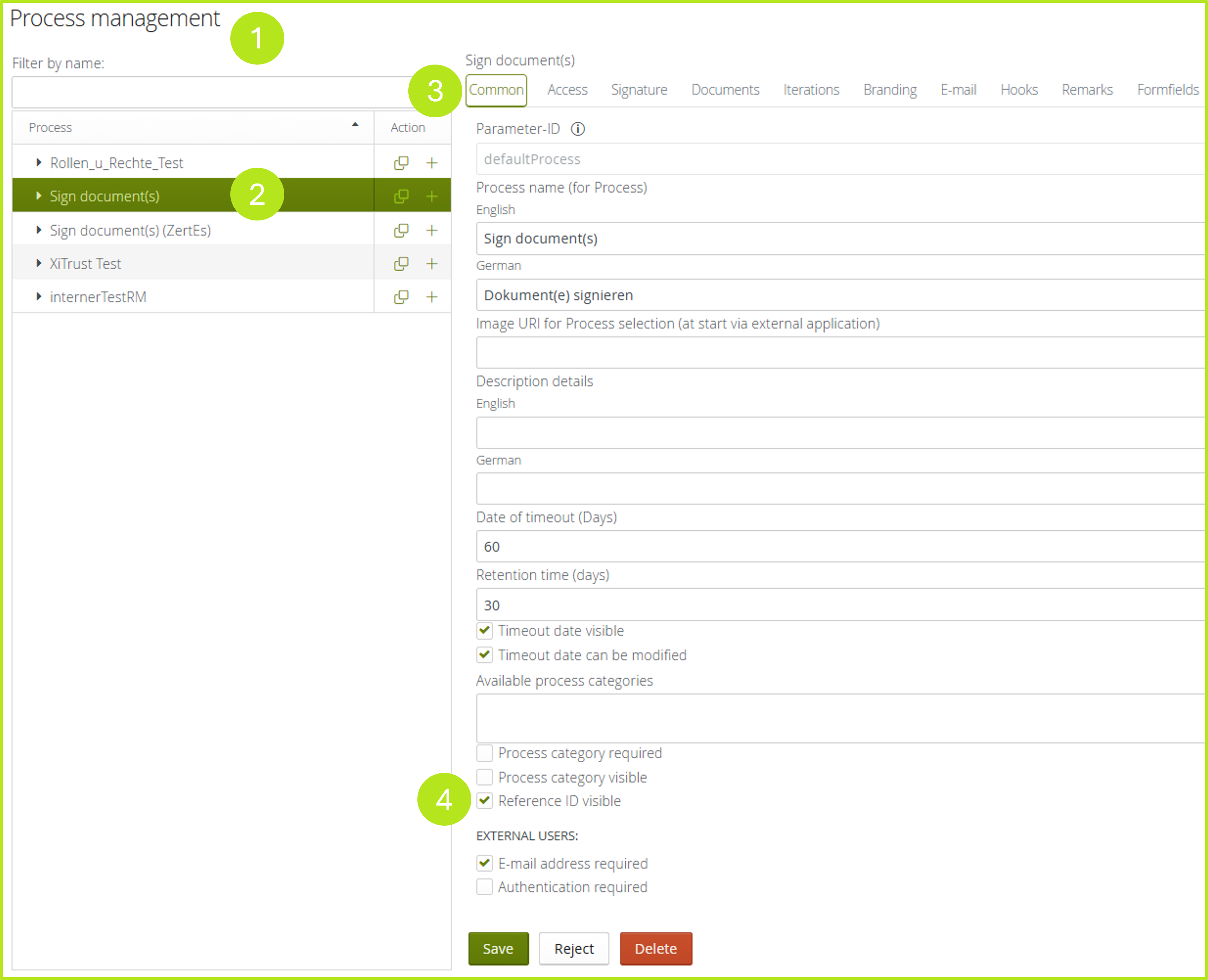
To display the reference ID in MOXIS, please access the administration panel and navigate in the process management (see figure 1 [1]) to the process (see figure 1 [2]) for which you want to activate the reference number.
Now tick the Reference ID visible-checkbox (see figure 1 [4]) in the Common tab (see figure 1 [3]). To save your changes, please click on the [Save]-button.
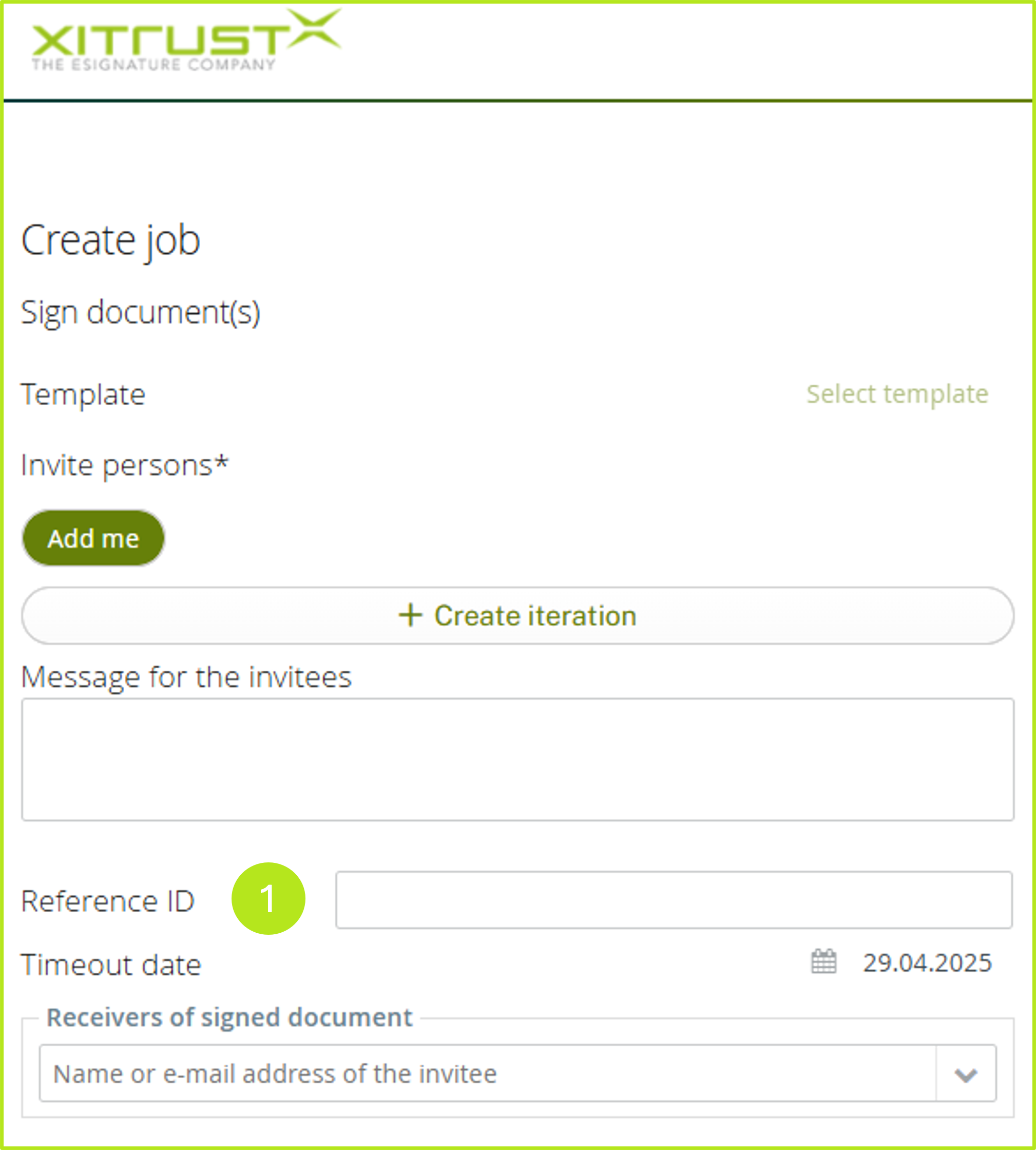
From now on, users can enter a freely selectable reference ID during the corresponding process when creating the job (see figure 2 [1]).
XiTip
Please note: The field can be freely labelled. It is only possible to search for the reference number via an API, but not directly in MOXIS. It is not transferred automatically.