Content
Serial numbers for qualified signatures and company certificates are numbers that can be used for additional identification or for tracking jobs (e.g. in banking). This article highlights the options for retrieving the serial number.
XiTip
The procedure is the same for both personal qualified signatures and company stamps (company certificates). The following step-by-step instructions show you how to read the serial number for a signature from a PDF.
1 Step-by-step guide: How to read the serial number from a PDF
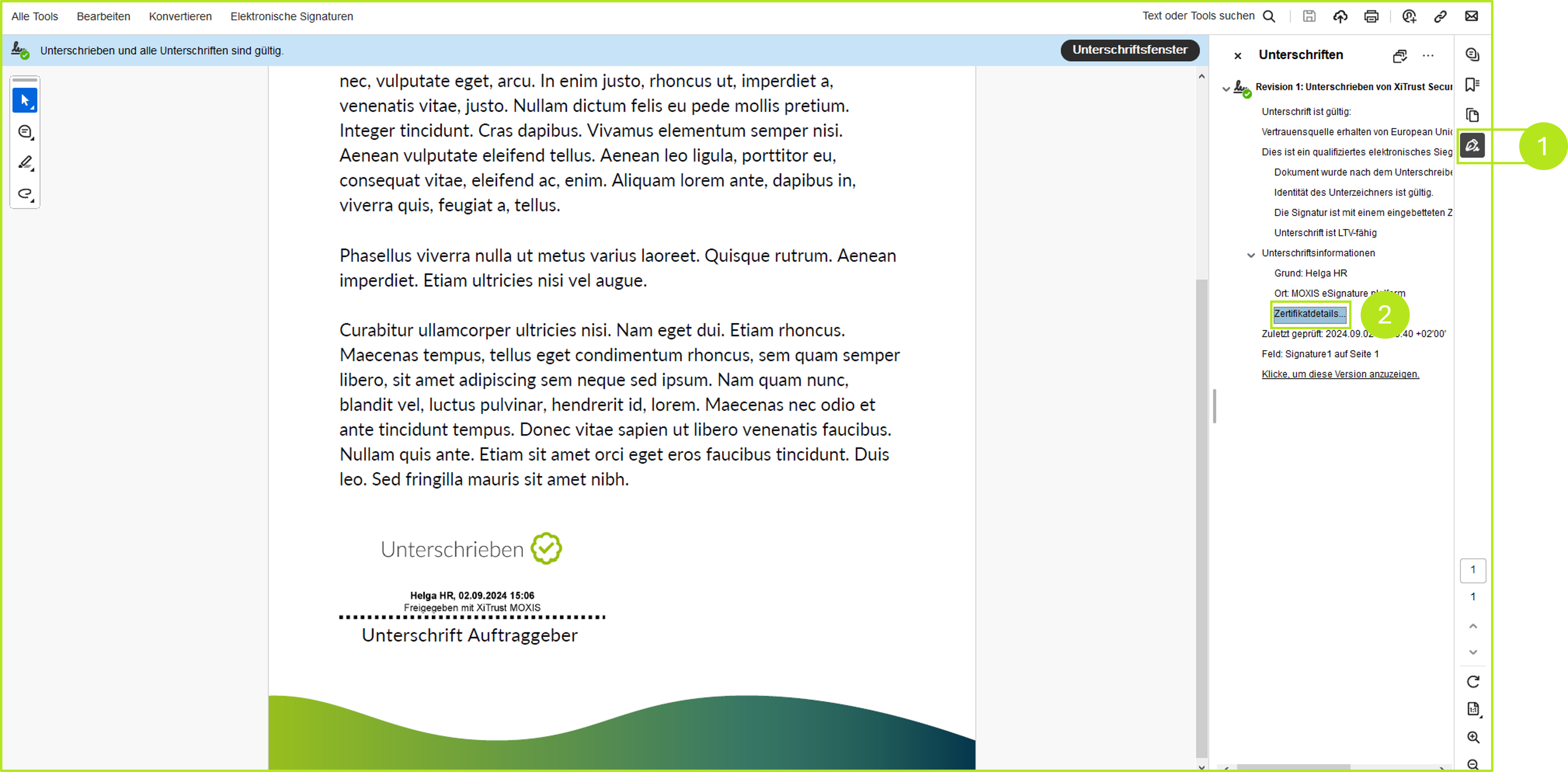
Step 1: Open the signed document with the Acrobat PDF reader and click on the signature icon (see figure 1 [1]). In the menu that opens, click on Certificate Details (see figure 1 [2]).
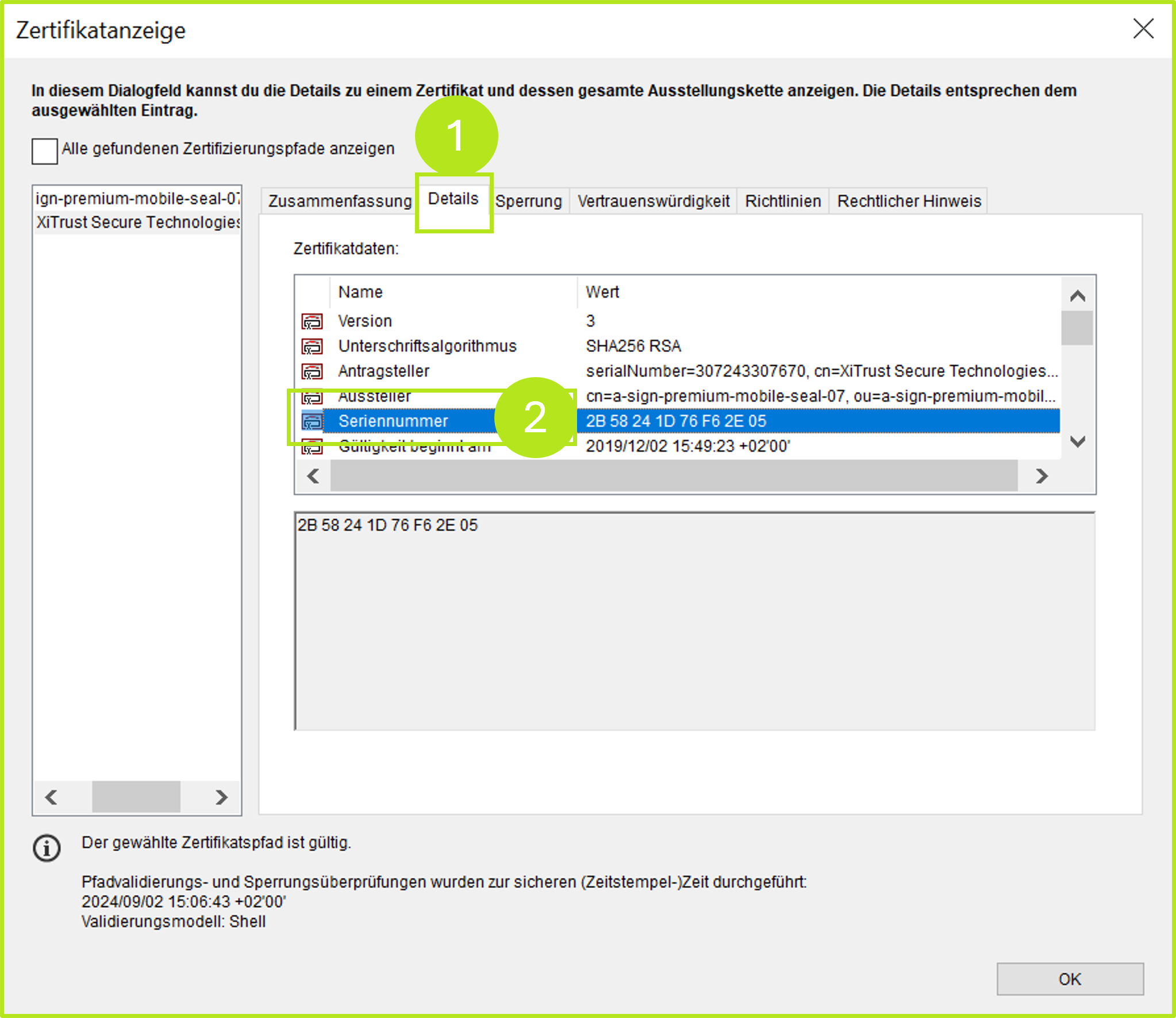
Step 2: In the certificate display that opens, please navigate to the Details tab (see figure 2 [1]). Here you will find the serial number (see figure 2 [2]).
XiTip
The information in the certificate is displayed in hexadecimal format. This can be converted into a decimal format using the Windows calculator or determined via the A-Trust login.
In addition to reading the serial number from a PDF, it is also possible to request it directly from A-Trust Austria.
2. How to retrieve the serial number via A-Trust
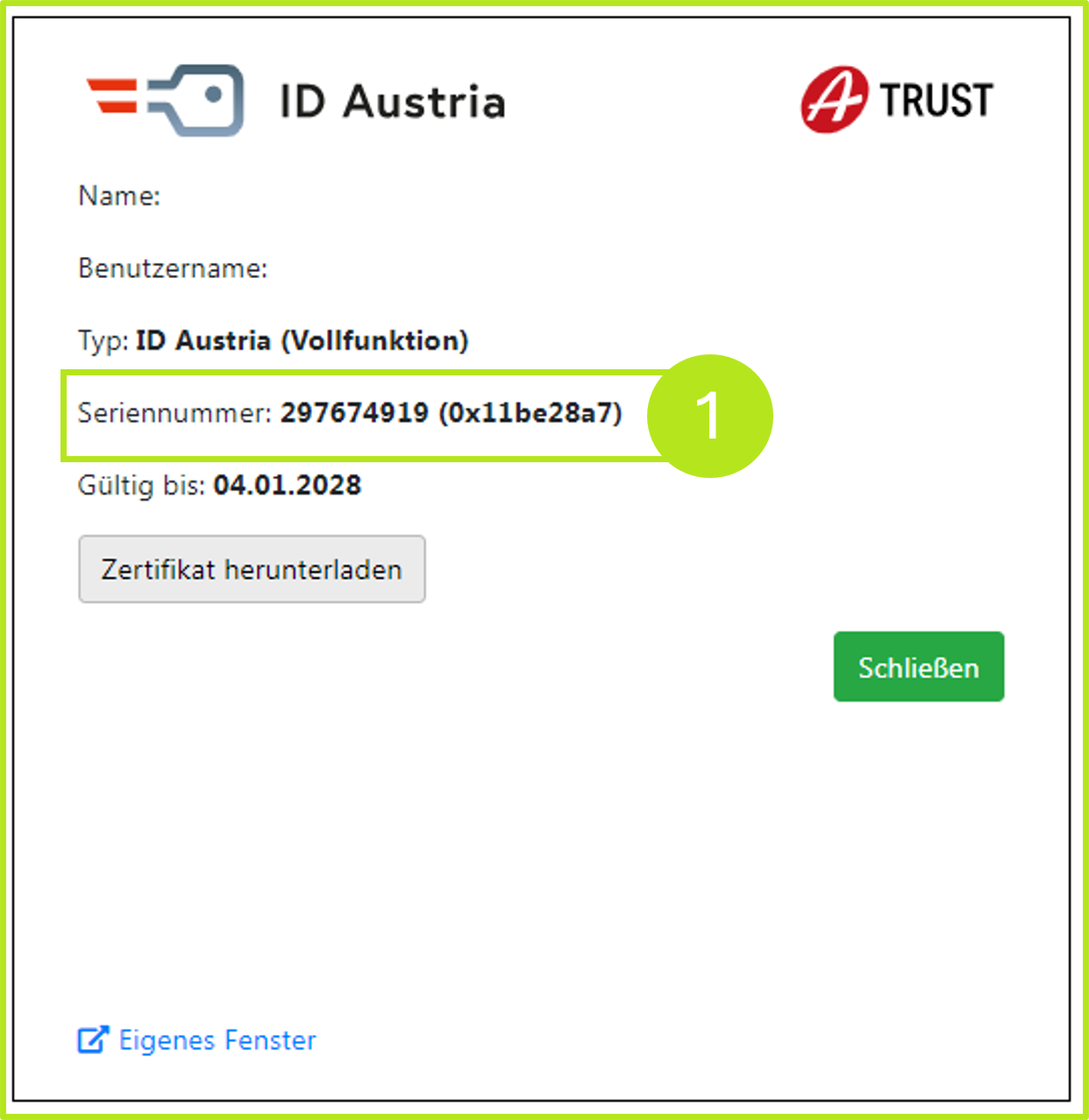
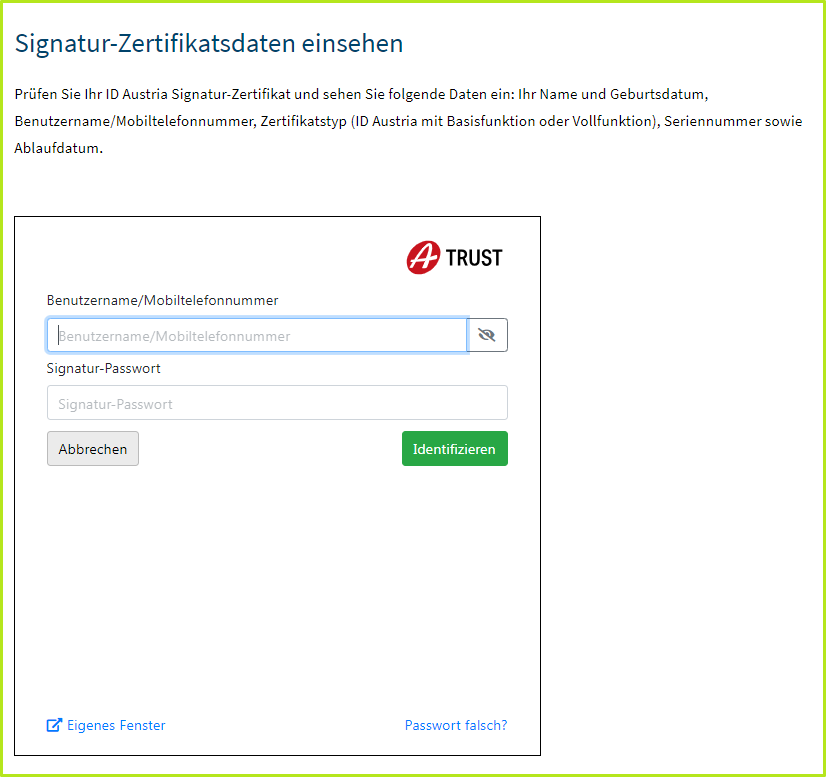
To retrieve the serial or certification number via A-Trust, please navigate to A-Trust: Manage my ID Austria. In the window that opens, please enter your username and signature password and click on the [Identifizieren]-button. This will open a screen where you can view the following data:
-
Name
-
Date of birth
-
User name/mobile phone number
-
Certificate type (ID Austria with basic or full function)
-
Serial number
-
Expiry date
After getting started, you will see your serial number displayed in decimal and hexadecimal numbers (see figure 4).